Clickhouse Connection [Beta]
warning
The Clickhouse connector for warehouse native is fully functional, but some functionality may not be performance-optimized or may have minor syntax errors until the beta period is over.
Please reach out to support for assistance getting started with Clickhouse on Statsig.
Overview
To set up connection with Clickhouse, we need the following:
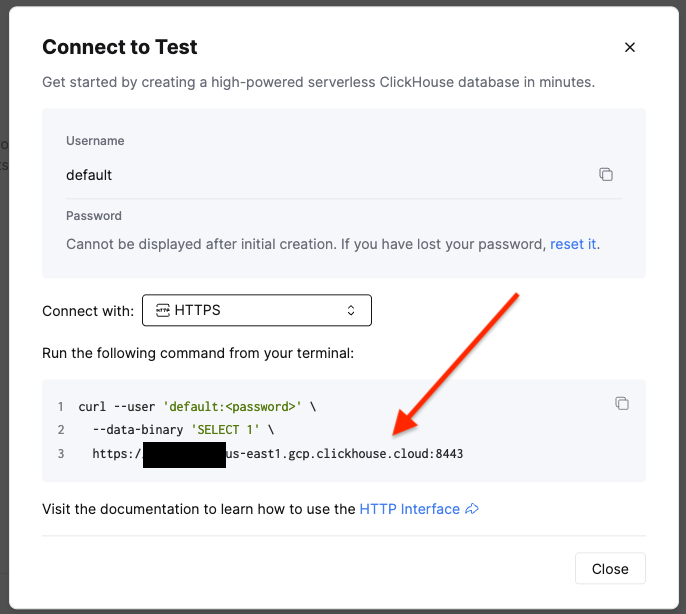
- The URL to connect to, e.g. https://<ID>.us-east1.gcp.clickhouse.cloud:8443
- This can be found by going to the service that needs to be connect to, and clicking "Connect" in the left rail
- A database in the service where Statsig will have full CRUD access for writing logged data and intermediate tables
- Statsig recommends that this is a new database, separate from production data
- A username/password for a Statsig database user
- Statsig recommends making a new, standalone user for audit purposes
- An exposures table to export exposures data logged to Statsig
- An events table to export events data logged to Statsig
To create a user, the easiest way is to run:
create user <username> IDENTIFIED WITH sha256_password BY '<password>';
But the correct approach will depend on the best practices specified by your database administrator.
Grant Permissions to Statsig's Account
The database user created for Statsig will need database permissions in order to access data and run workflows.
Statsig requires two levels of permission:
- Read-only access to any production data (outside of the data logged to Statsig) that will be analyzed in analytics or experimentation
- Full CRUD access within the staging database (specified above) where Statsig will write data artifacts to store results for long-running experiments
This can be granted to the Statsig user in SQL by an account with sufficient permissions.
Read:
GRANT SHOW TABLES, SHOW COLUMNS, SELECT ON <read_db>.* to <statsig_user>;
CRUD:
GRANT SHOW TABLES, SHOW COLUMNS, SELECT ON <statsig_db>.* to <statsig_user>;
GRANT CREATE, DROP, DELETE, ALTER, UPDATE, INSERT ON <statsig_db>.* to <statsig_user>;